TABLE OF CONTENTS
- Scenario 1 - No Restriction
- Scenario 2 - All Services, with Custom Shifts and closed on a weekend
- Scenario 3 - Allow all services, all with custom shifts
- Check Service Availability Settings are Correct in the Client Portal
Service Availability Rules form part of the Service Availability module allowing Company's to prevent or restrict clients from being able to request services in their portal for all or some services. The module can also be used to prevent or restrict bookings for Public Holidays and Company Vacations.
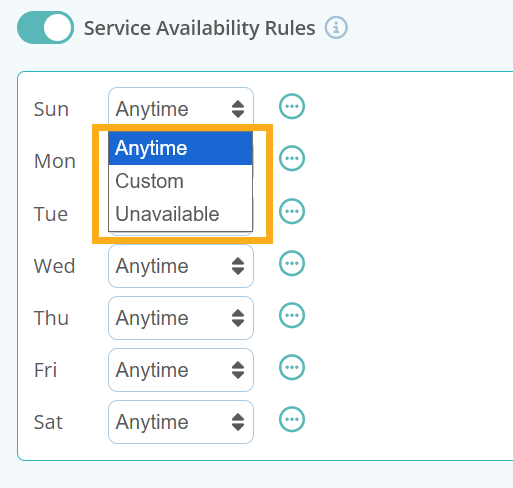
At the heart of this module are the Company's daily Service Availability Rules where you can tailor all or some services to have three different types of availability:
- Anytime - Select this rule if there are no restrictions to requesting this service during a 24 hour period.
- Custom - Select this rule to customise if services are only available at certain times during the day. You have the option to add up to 4 different "shifts" to create variable availability for the day.
- Unavailable - Choose “Unavailable” if this service is not available to book during the day.
Below are a few examples of Company wide service availability using various Service Availability Rules.
Scenario 1 - No Restriction
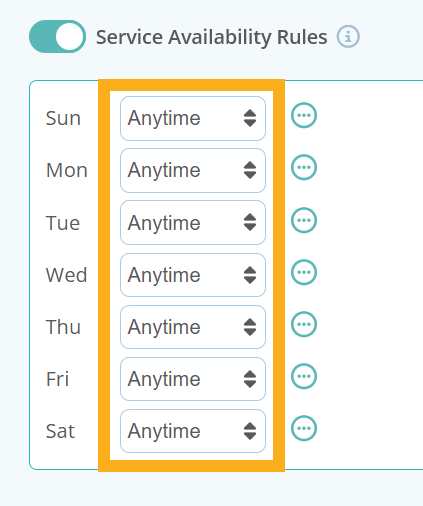
The company has no restrictions in place for booking services and allows bookings any day of the week and at anytime. For this example, everyday should be set to "Anytime."
Scenario 2 - All Services, with Custom Shifts and closed on a weekend
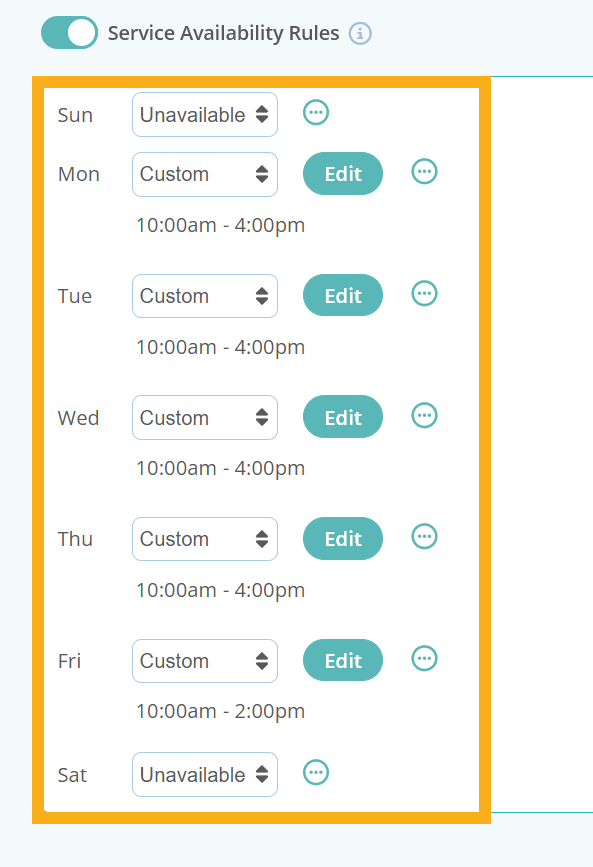
The company provides all of its services Monday to Friday, between 10am and 4pm, however on a Friday, they close at 2pm.
Scenario 3 - Allow all services, all with custom shifts
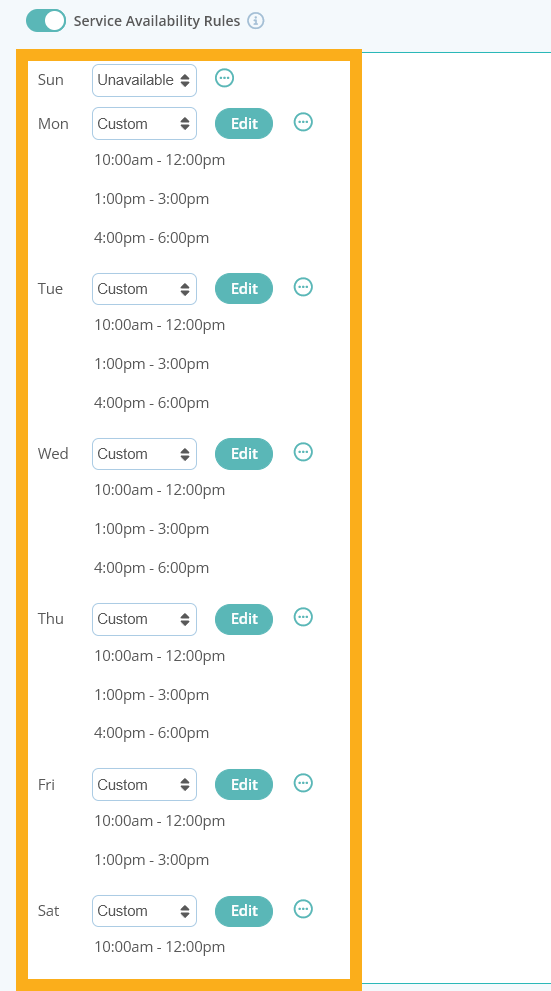
The company provides services Monday to Thursday with 3 separate shifts available to select each day. On Fridays there are no late afternoon services available, Saturdays there is only 1 shift available between 10am -12pm and on Sundays the company is closed.
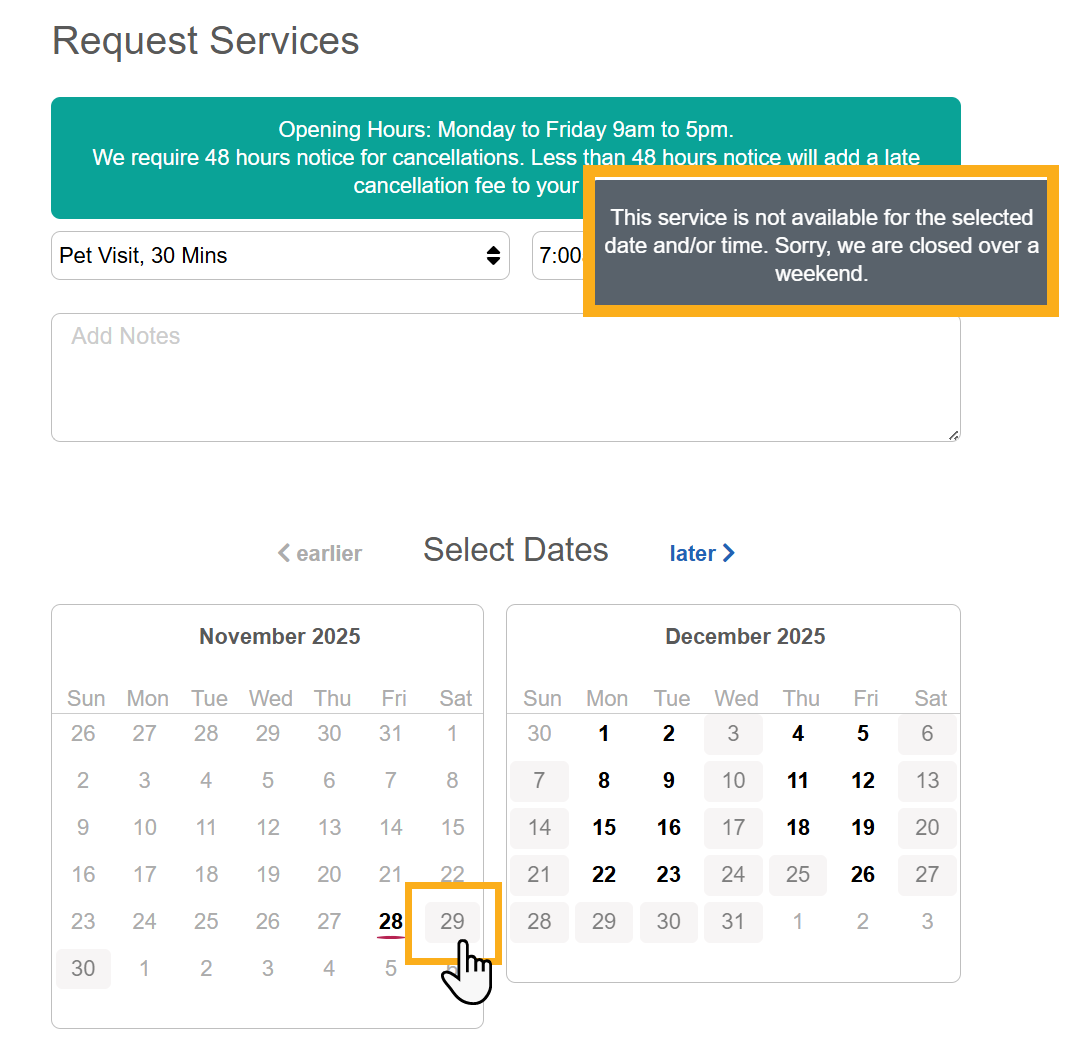
Check Service Availability Settings are Correct in the Client Portal
Once you have set your Company wide service availability, its a good idea to check that your settings are functioning correctly. Access a clients portal and try to select a few services and times outside of your regular operating hours.
Tip: Read more about adding specific Service Group or Service availability, or prevent clients from being able to request services when its a public holiday or company vacation. Or learn how to add customized messages to communicate with your clients about your services and availability.
Was this article helpful?
That’s Great!
Thank you for your feedback
Sorry! We couldn't be helpful
Thank you for your feedback
Feedback sent
We appreciate your effort and will try to fix the article