TABLE OF CONTENTS
- What is the Maintenance Utility?
- How To Remove a Primary Sitter on Multiple Client Profiles?
- How To Re-assign a Primary Sitter on Multiple Client Profiles?
When a Staff member/Sitter changes their role, reduces availability or leaves your employment, as well as making them Inactive, you will also need to remove or re-assign their Primary Sitter reference on a Client Profile to another member of your team using the Maintenance utility.
Instead of updating each client profile individually, Admins can use the Maintenance utility to quickly remove or transfer the Primary Sitter designation across multiple client profiles at once.
What is the Maintenance Utility?
The Maintenance Utility is an Admin tool that allows you to update Staff Member references across multiple Client Profiles at one time. This helps streamline administrative changes, improve efficiency, and reduce the risk of manual errors that can occur when updating records individually.
Bulk staff removal or re-assignment is commonly used when a Staff Member leaves the company, changes roles, or when client assignments are being restructured.
The following Staff references on a Client Profile can be updated using the Maintenance Utility:
How To Remove a Primary Sitter on Multiple Client Profiles?
Firstly access your Staff list from Admin > Staff and select the Sitter/Staff member you wish to make a change to their Primary Sitter designation. From the Staff Profile menu, select the Maintenance page.
Navigation: Admin > Staff > Select Staff/Sitter > Maintenance
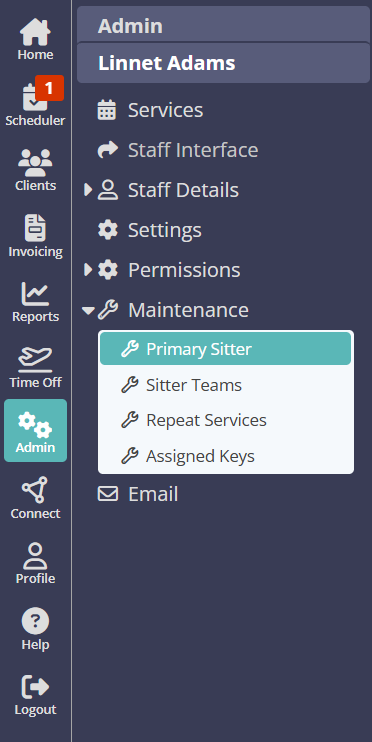
Under the Primary Sitter tab, you will see a list of all clients where the Sitter/Staff member has been designated as the Primary Sitter or Carer.
- Make sure the drop down reference states "No one"
- Select the "All" check box, or select individual Client Profiles.
- Click "Replace"
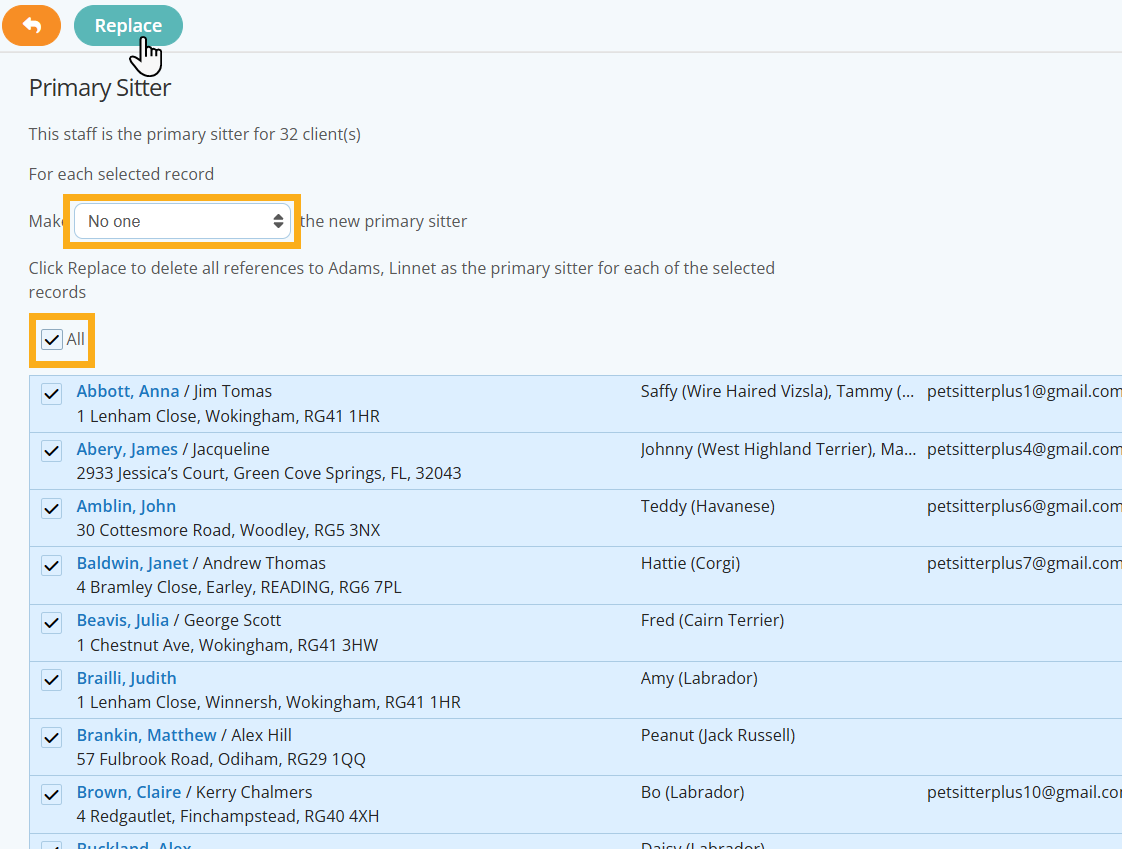
The Staff Member/Sitter has now been removed as Primary Sitter on your selected Client Profiles.
How To Re-assign a Primary Sitter on Multiple Client Profiles?
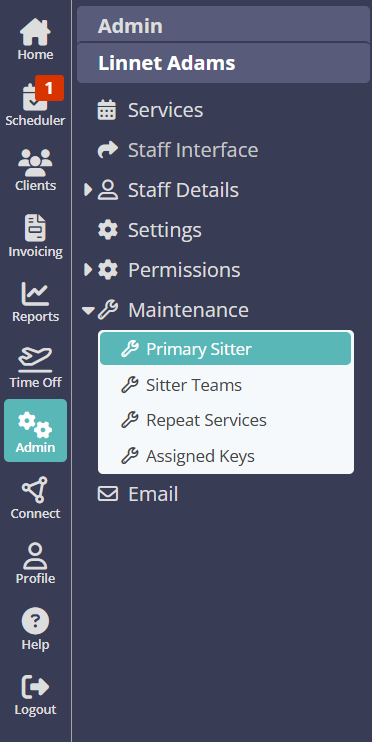
Firstly access your Staff list from Admin > Staff and select the Sitter/Staff member you wish to make a change to their Primary Sitter designation. From the Staff Profile menu, select the Maintenance page.
Navigation: Admin > Staff > Select Staff/Sitter > Maintenance
- From the Staff list drop down, select the Sitter/Staff you wish to re-assign as Primary Sitter.
- Select the "All" check box, or select individual Client Profiles.
- Click "Replace"
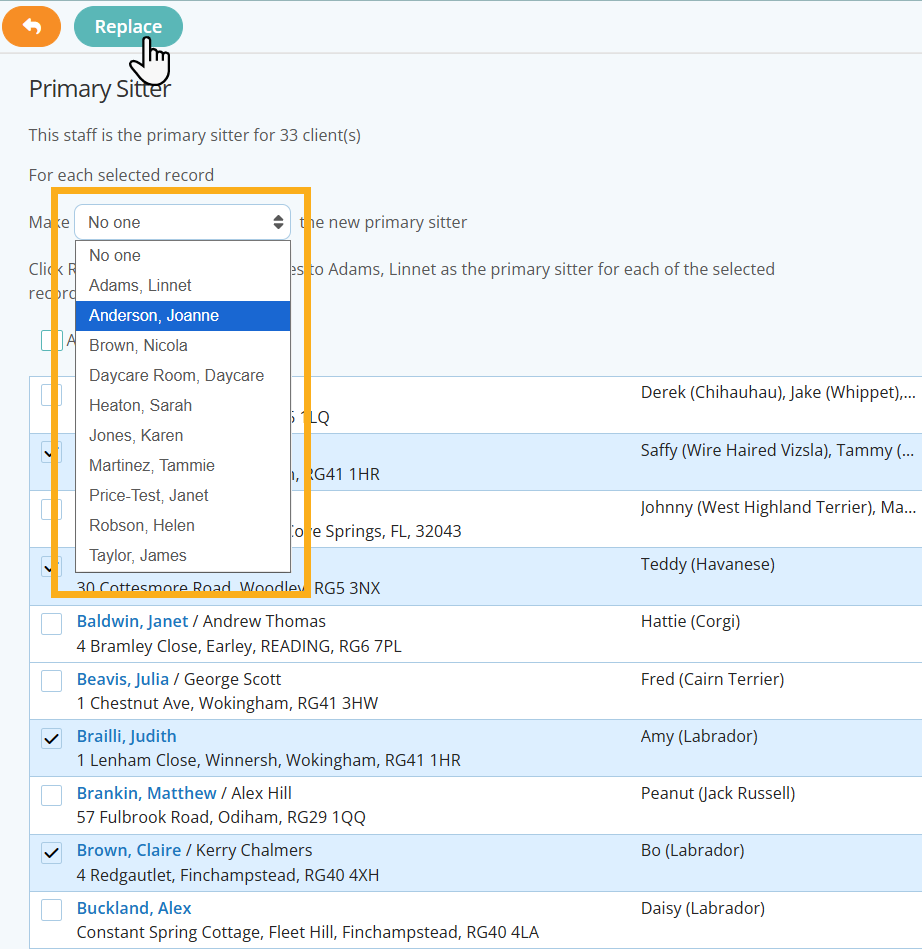
All of your selected clients have been re-assigned to another Staff Member/Sitter. Repeat this process to re-assign the Primary Sitter to a different Sitter/Staff member.
Tip: Learn more about how to change multiple Staff/Sitter references on Client Profiles using the Maintenance Function:
Was this article helpful?
That’s Great!
Thank you for your feedback
Sorry! We couldn't be helpful
Thank you for your feedback
Feedback sent
We appreciate your effort and will try to fix the article