The Staff Maintenance Utility is an Admin tool that allows you to update Staff Member references across multiple Client Profiles at one time. This helps streamline administrative changes, improve efficiency, and reduce the risk of manual errors that can occur when updating records individually.
Bulk staff removal or re-assignment is commonly used when a Staff Member leaves the company, changes roles, or when client assignments are being restructured.
Changing A Staff Members Reference On Multiple Client Profiles
Navigation: Admin > Staff > Select Staff/Sitter > Maintenance
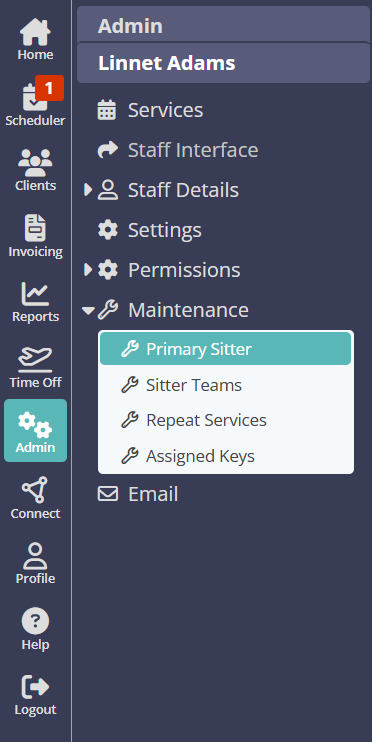
Use the Maintenance Utility to ensure the Staff member who is leaving or changing roles has been re-assigned or removed from Client Profiles for each of the following options:
Once you have completed this, you can go on to make the Staff member Inactive if they have left your employment.
Was this article helpful?
That’s Great!
Thank you for your feedback
Sorry! We couldn't be helpful
Thank you for your feedback
Feedback sent
We appreciate your effort and will try to fix the article