In addition to the business-wide Cancelled Services Report found under the Reports pages, a Cancelled Services Report is also available at Client level, directly within each individual Client's profile. Use this Client-level report for quick, contextual reference when you're already working with that specific Client and need to view their cancellation history.
This report has many uses:
- Answering a Client's query about a cancellation or charge.
- Quickly reference a Client's cancellation history without filtering the full business report.
- Reviewing a Client's booking habits before a cancellation policy conversation.
- Spot Client-specific patterns, such as frequent cancellations or repeated cancellation of the same Service.
Tip: This report shows cancellations for the individual Client whose profile you are viewing. To review cancellations across all Clients, use the business-wide Cancelled Services Report
How Do I View the Client Cancelled Services Report at Client Level?
Navigation: Client Profile > Cancelled Services
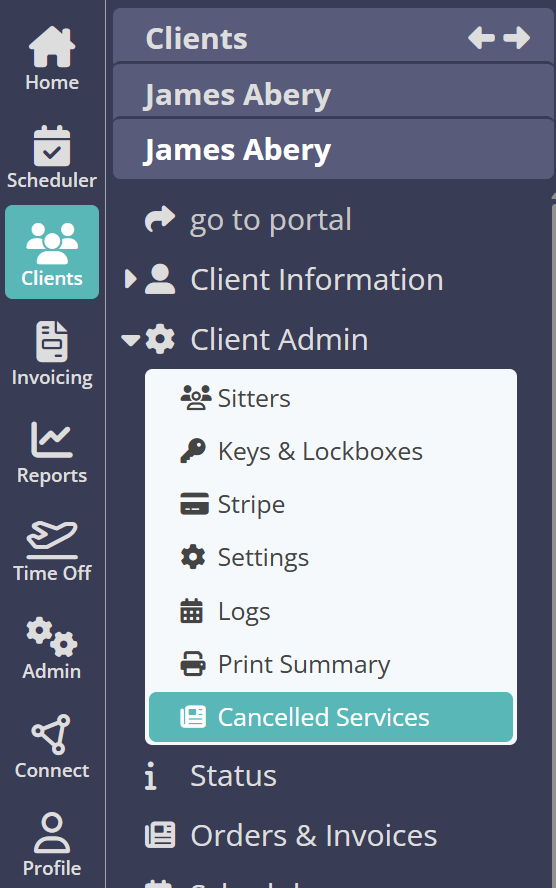
- Open the Client's profile.
- Select the "Cancelled Services" tab to view their cancellation history.
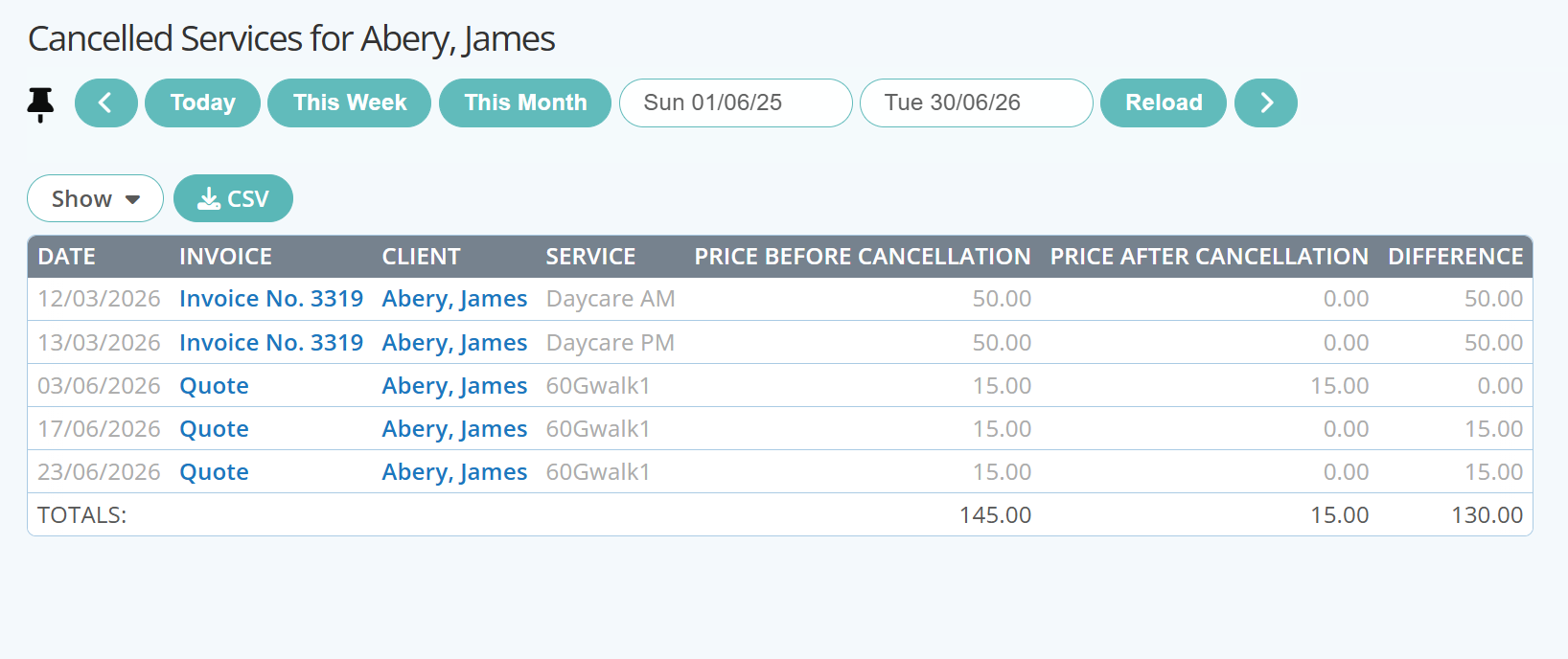
- Select a custom date range or use a quick report button, i.e. "This Week" or This Month"
- To view the previous timeframe click the "<" button.
- To view the next timeframe click the ">" button.
- Use the Pin
 function to keep headers, filters and buttons visible at all times as you scroll, particularly useful when viewing on a mobile device.
 - Show the level of detail for the report such as Invoice Number and price before or after cancellation.
- Click "Reload" to view your customized Cancelled Services Report.
- (Optional) Select "Download CSV" to export the data displayed onto your device.
Note: A .CSV file can be opened with most spreadsheets, such as Microsoft Excel or Google Sheets, as well as uploaded to accounting programs like QuickBooks or Xero
Report Columns Explained
- Date: Date the cancellation was recorded.
- Invoice Number: Invoice associated with the cancelled Service.
- Client: Last Name, First Name. Click on the name to access the Client Profile. To return to this report, click the orange back button.
- Service: The Service that was cancelled.
- Price Before: Price of the Service prior to cancellation.
- Price After: Price of the Service after cancellation.
- Difference: The change in price as a result of the cancellation.
Was this article helpful?
That’s Great!
Thank you for your feedback
Sorry! We couldn't be helpful
Thank you for your feedback
Feedback sent
We appreciate your effort and will try to fix the article