TABLE OF CONTENTS
Service Availability settings allow Admins and Business Owners to prevent clients from requesting services that conflict with the Company's specified Public Holidays. Choose whether to completely block the ability to book services on a Public Holiday, or set custom times when Service Groups or Individual Services can be booked.
Setting Service Availability for Public Holidays directly corresponds with the dates you set in the Public Holiday Calendar in Admin > Services > Public Holidays.
How To Prevent Clients Requesting Services For a Public Holiday
There are a few steps involved when setting your Service Availability, initially ensure the appropriate module is switched on.
Info: By default, all Service Availability Settings are enabled.
Step 1 - Enable Public Holidays Service Availability
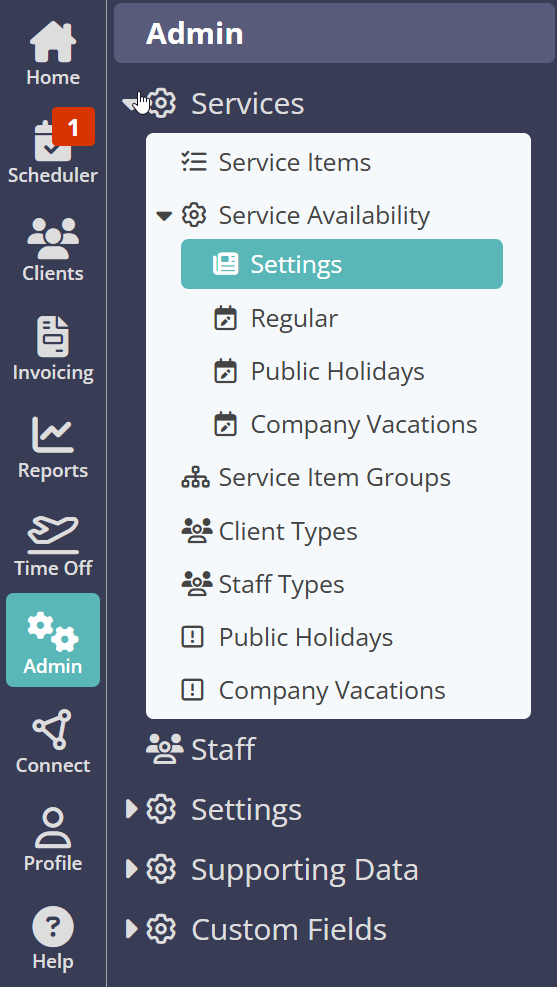
Navigation: Admin > Services > Service Availability > Settings
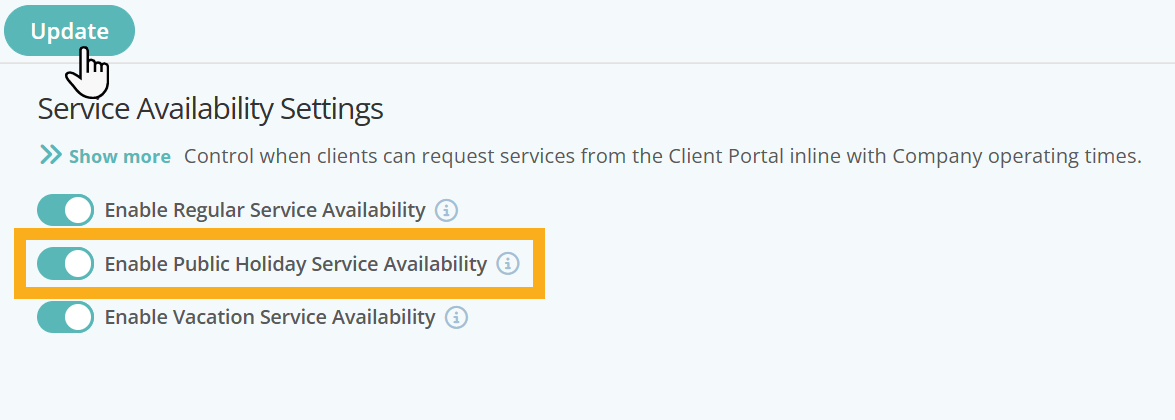
Ensure Public Holiday Service Availability is enabled by switching on "Enable Public Holiday Service Availability". Remember to click "Update" to save your changes.
Step 2 - Populate your Public Holiday Calendar
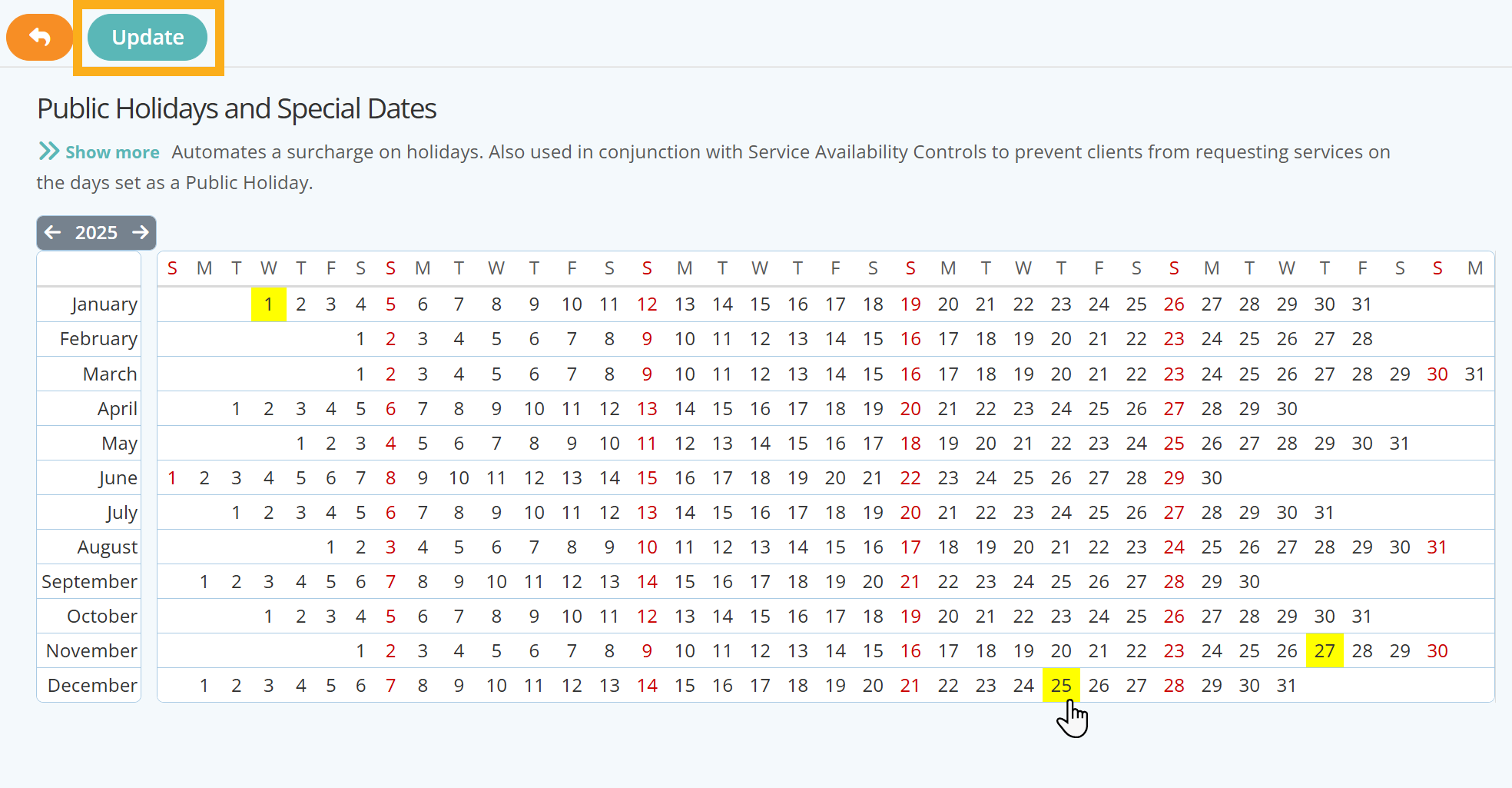
In order for you to prevent or restrict bookings for Public Holidays, you must first set when your annual Public Holidays are. Public Holidays are populated through the calendar found in the Services menu.
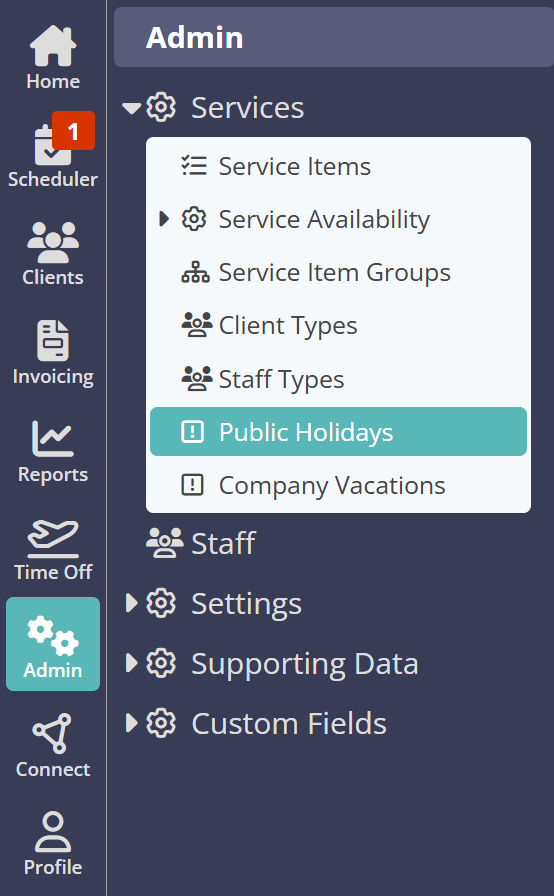
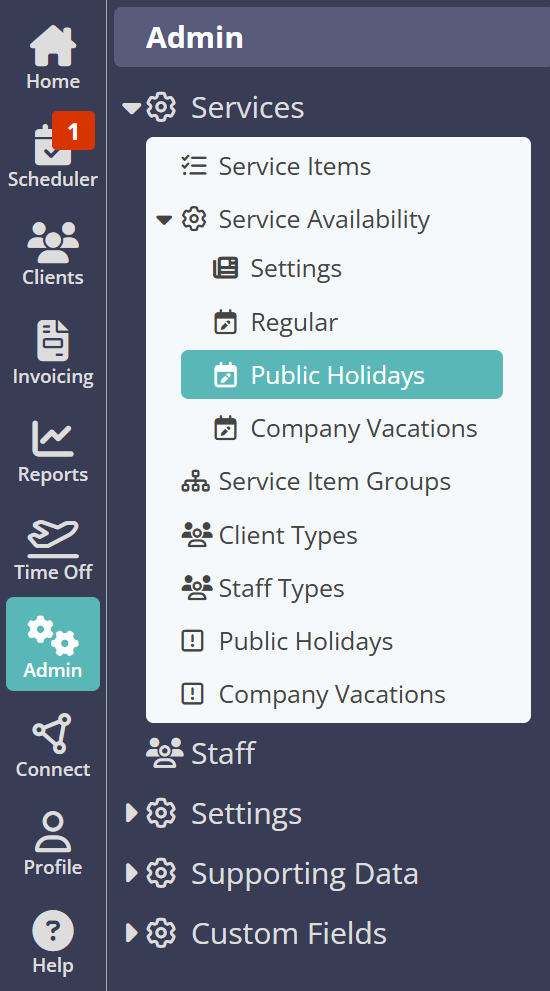
Navigation: Admin > Services > Public Holidays
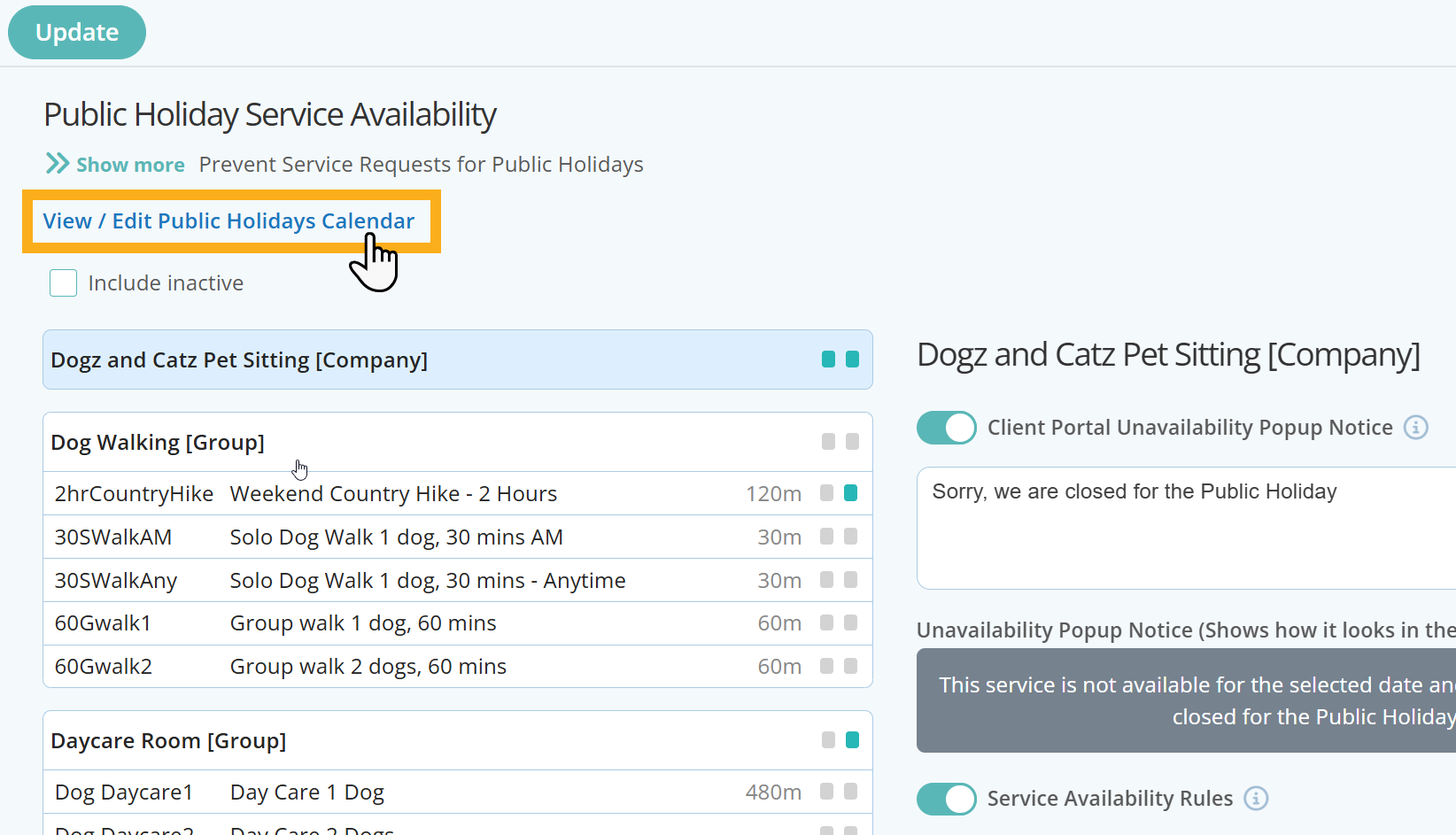
You can also access the Public Holiday Calendar directly from the Public Holiday page under Service Availability, by clicking on the shortcut link at the top of the page:
Select the dates on the annual Public Holiday Calendar and click "Update" to save your changes.
Step 3 - Configure your Public Holiday Availability
If your availability is the same across all or your Services, then simply use the Company Level Service Availability rules which will apply to all Service Groups and Services. You can apply your Service Availability Rules to each day of the week and even add different availability to specific days should this apply.
Info: When you first access Service Availability Rules, for Public Holidays each day is set to "Anytime" by default.
Navigation: Admin >Services > Service Availability > Public Holidays
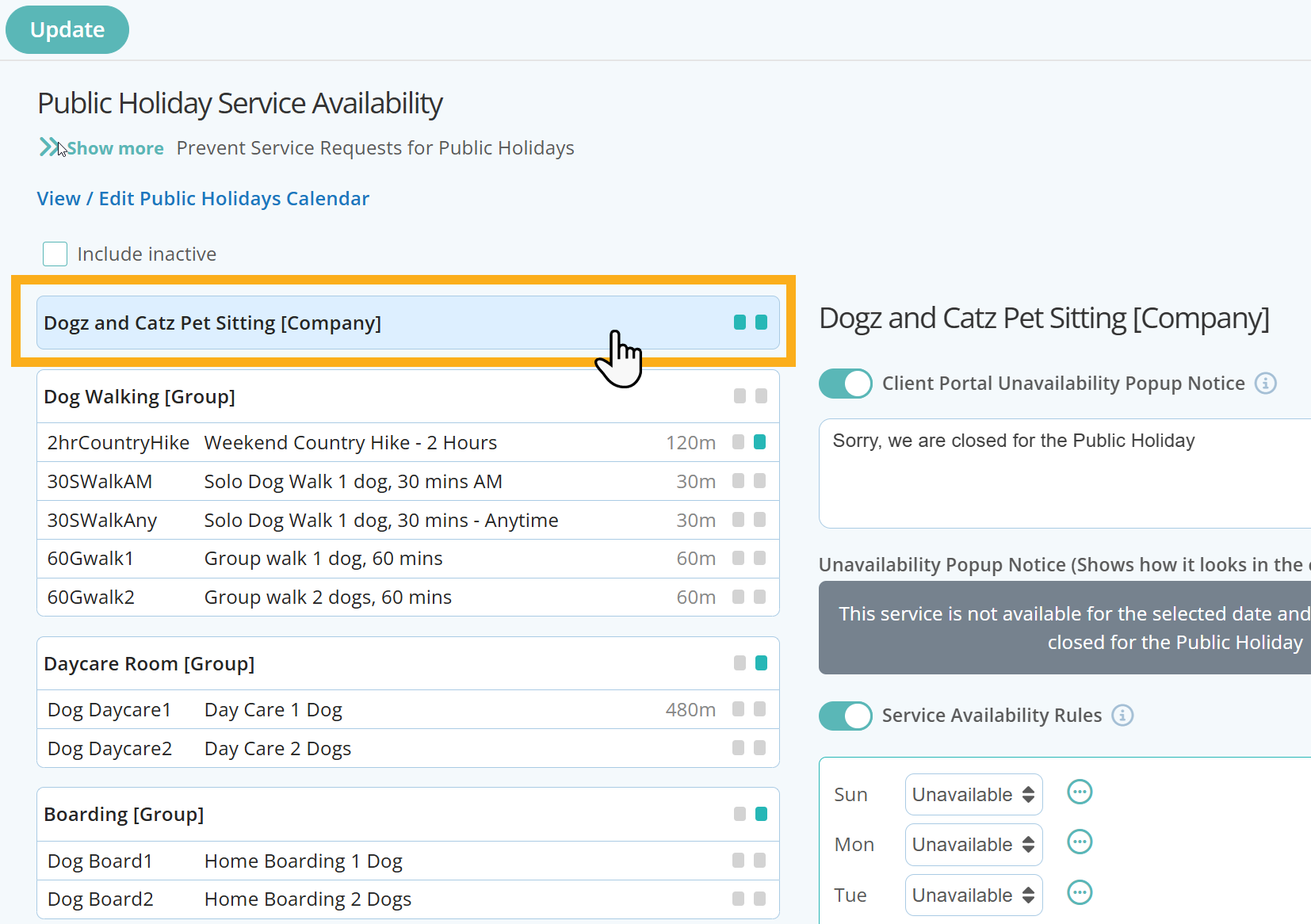
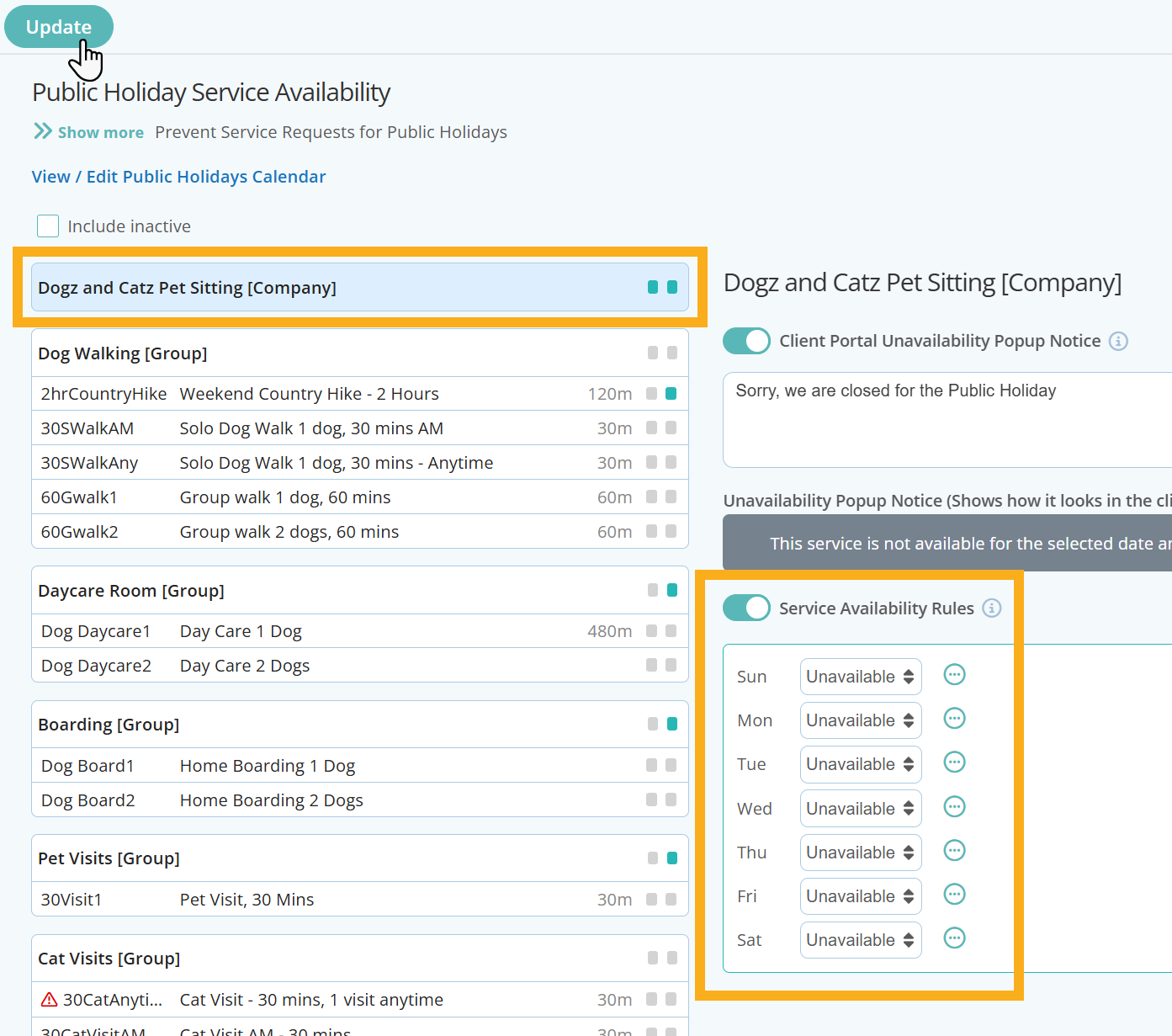
To set Company wide service availability, click your company name in the first box provided as highlighted below:
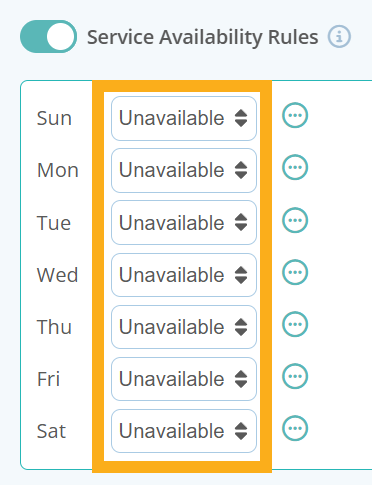
When setting your Company's daily Service Availability Rules, there are three options to choose from:
- Anytime - Select this rule if there are no restrictions to requesting this service during a 24 hour period.
- Custom - Select this rule to customise if services are only available at certain times during the day. You have the option to add up to 4 different "shifts" to create variable availability for the day.
- Unavailable - Choose “Unavailable” if this service is not available to book during the day.
Most Company's will want to prevent all booking requests on a Public Holiday, in which case, all days under Service Availability Rules should be set to "Unavailable".
However, if there are certain Service Groups or Individual Services where a Company allows booking requests, these can also be configured and will override the Company Level settings.
Below are a few examples of Service Availability Rules for Public Holidays, after the Company wide availability has been set to unavailable on each day as indicated above.
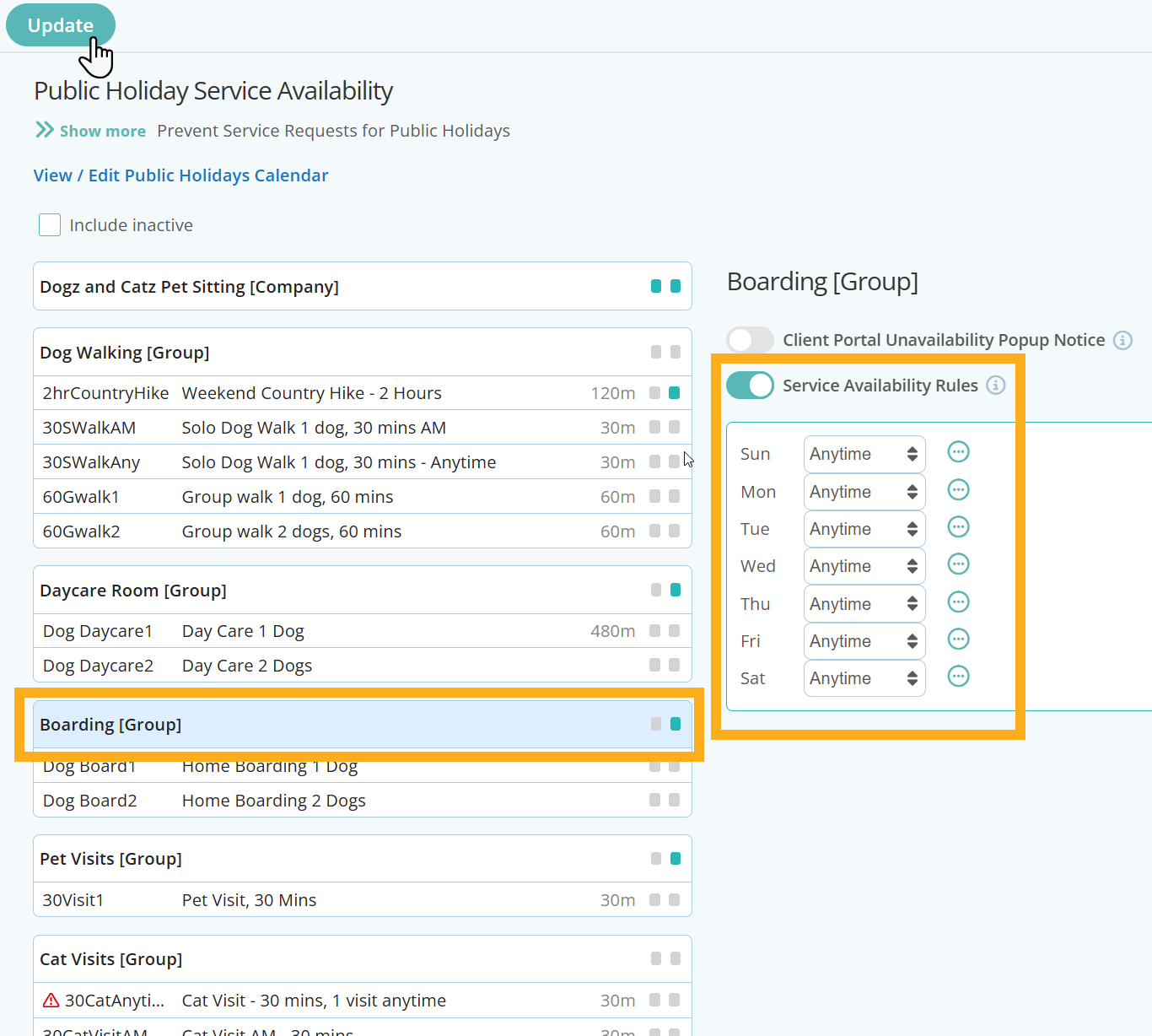
Scenario 1: The Company prevents all booking requests for services, apart from Boarding where clients can request on any day of the week at anytime.
Company Level
Boarding Service Group
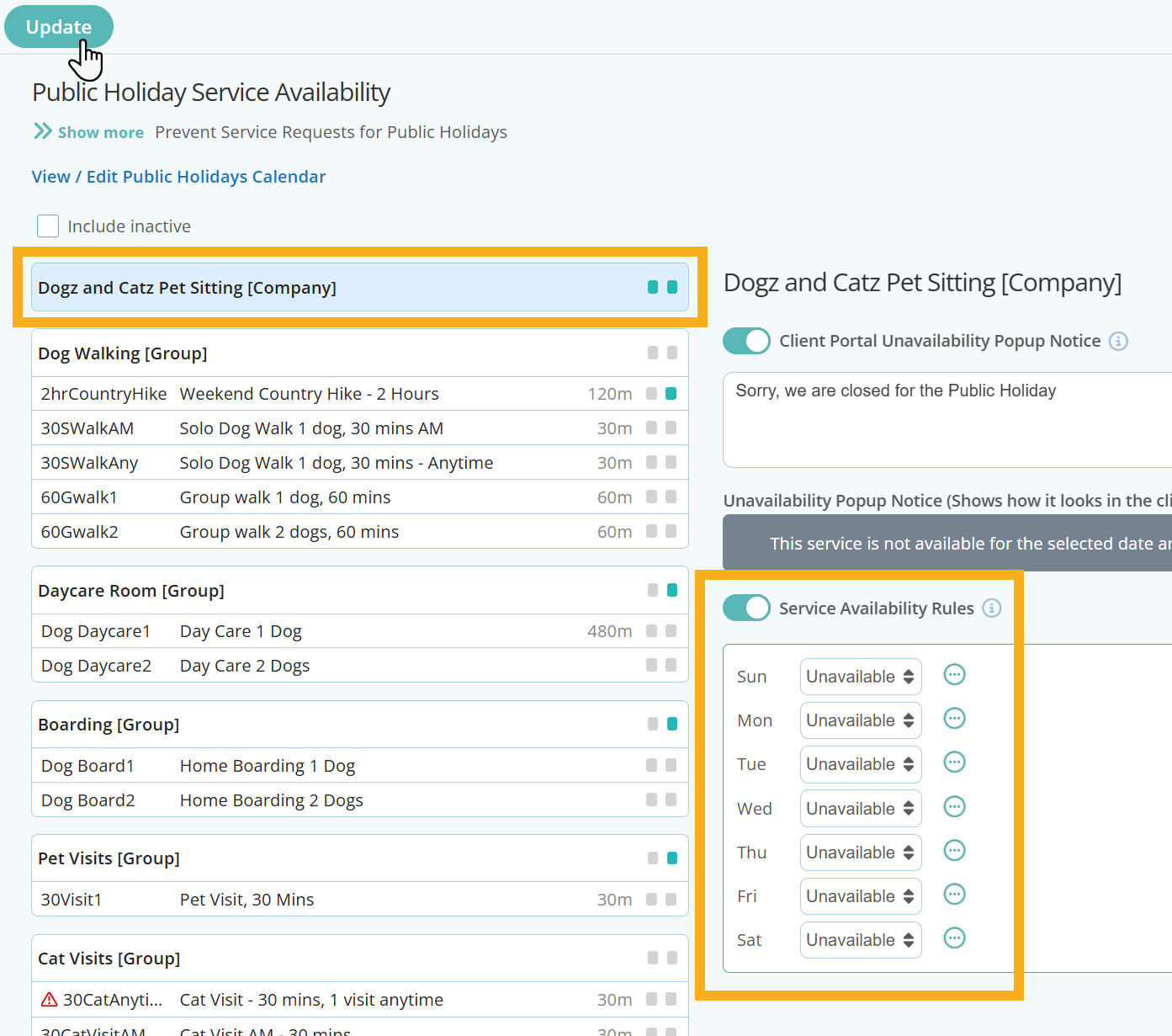
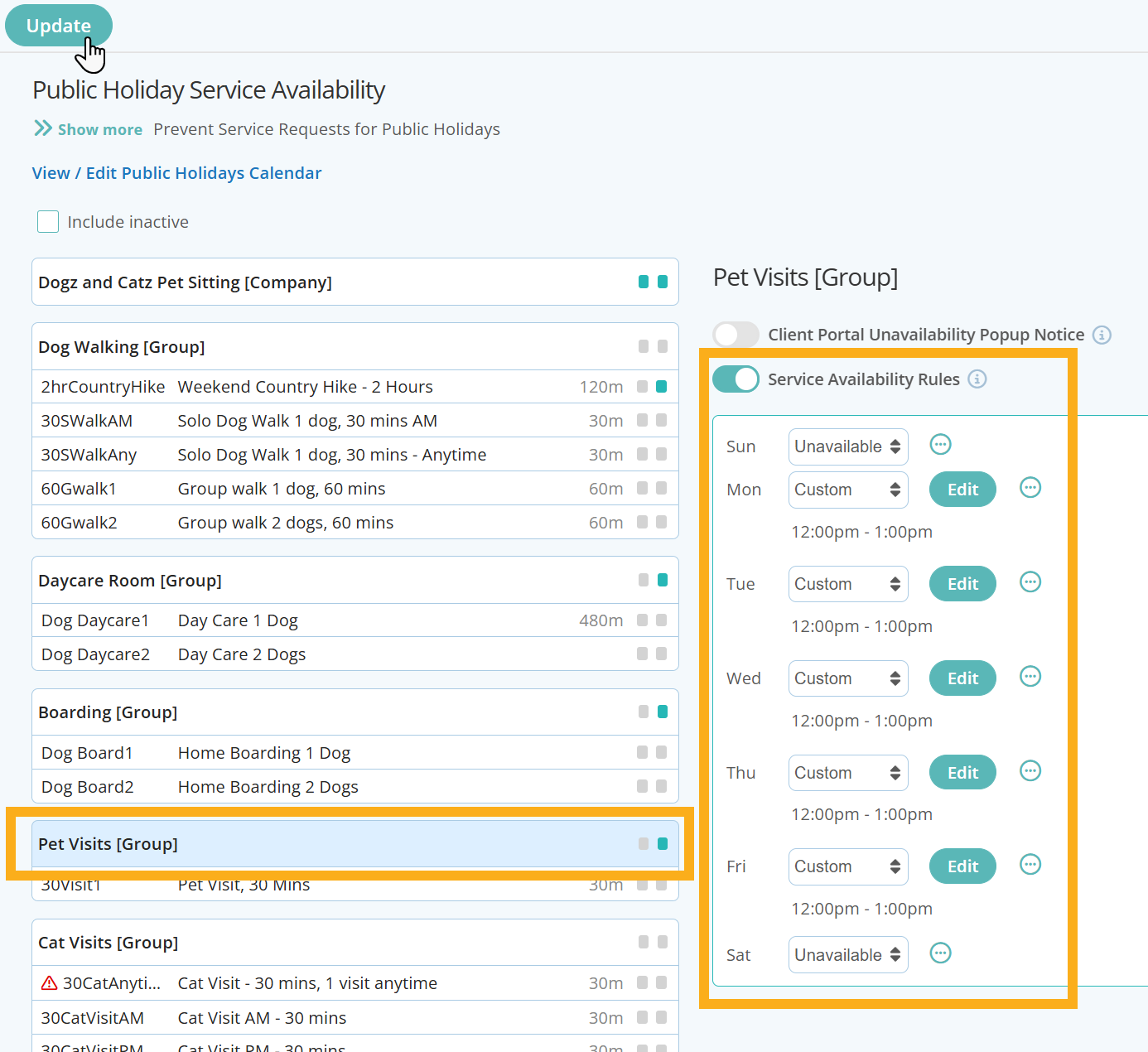
Scenario 2 - All services (Company Level) are unavailable, apart from Boarding which can be booked any day of the week at anytime and Pet Visits that can only be requested between 12pm and 1pm Monday to Friday.
Company Level
Boarding Service Group
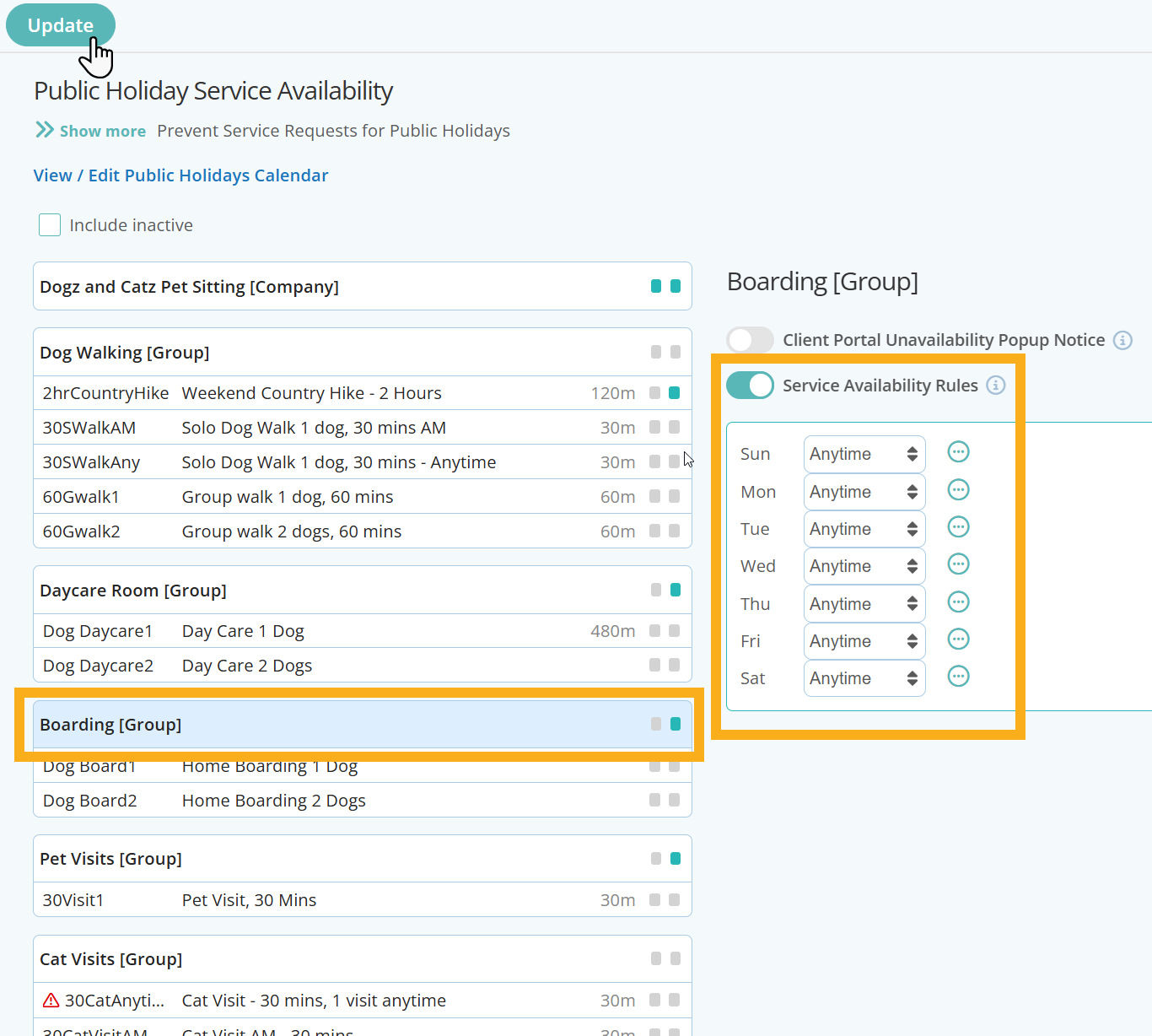
Pet Visits Group
Step 4 - Check Service Availability Settings are Correct in the Client Portal
Once you have set your Public Holiday Service Availability, its a good idea to check that your settings are functioning correctly. Access a clients portal and try to select a few services and times outside of your regular operating hours.

Tip: Read more about adding specific Service Group or Service availability, or prevent clients from being able to request services when its a public holiday or company vacation. Or learn how to add customized messages to communicate with your clients about your services and availability.
Was this article helpful?
That’s Great!
Thank you for your feedback
Sorry! We couldn't be helpful
Thank you for your feedback
Feedback sent
We appreciate your effort and will try to fix the article